
Chase video invitation 01 (Paw Patrol) — Editable online birthday video invitation, instant digital delivery
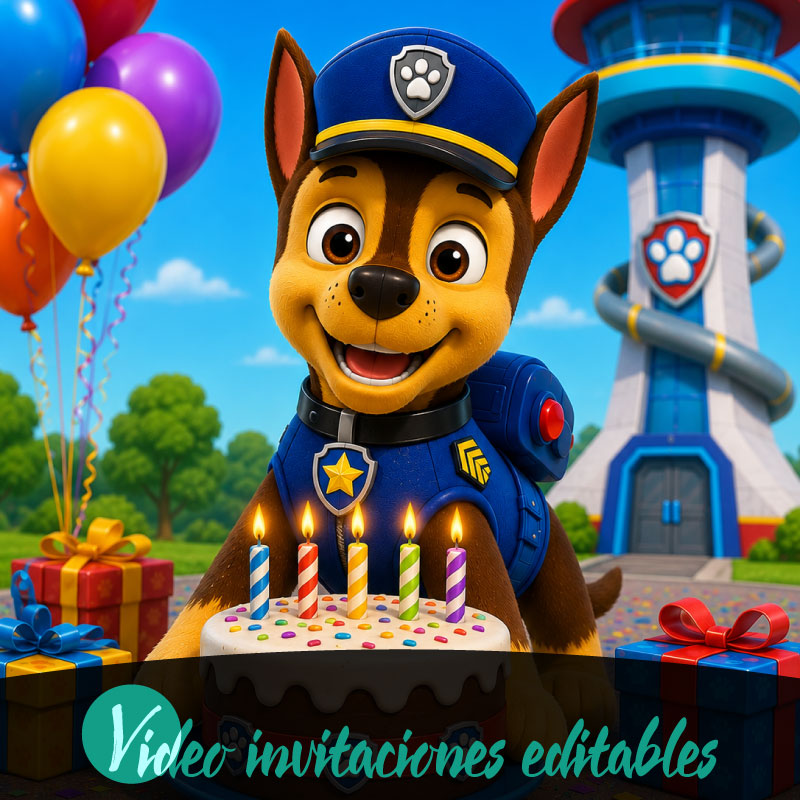
If you need a quick, kid-friendly digital birthday invitation that you can edit online and share instantly, Chase video invitation 01 (Paw Patrol) puts a ready-to-customize video format at your fingertips. Designed as an editable video invitation for birthday celebrations, it gives families instant digital access and the ability to preview changes before completing a purchase. The product is built for online editing across desktop, tablet and mobile and supports distribution through WhatsApp, email and social media, so you can prepare and send an animated invite without complex tools. The following guidance explains what the product does, how the editing and preview flow works, and practical tips for families preparing a birthday invitation with this format.
Why a digital video invitation fits a family birthday
Families planning a birthday often want something fun, fast and easy to share with relatives and friends. A digital video invitation answers that need by combining visual appeal with instant access: you can open the template, make changes online, and distribute the finished video immediately. For parents balancing schedules and devices, a digital format removes the need to coordinate delivery methods or wait for external processing. Because the Chase video invitation 01 (Paw Patrol) template is designed specifically as a video invitation, it focuses on motion and simple presentation that tend to engage children and relatives alike, while staying practical for the family member who will prepare and send it.
What Chase video invitation 01 (Paw Patrol) includes
Chase video invitation 01 (Paw Patrol) is an editable video invitation personalized online and delivered digitally. The product emphasizes editable online access, instant digital delivery upon completion, and support for English and Spanish. It is presented as a ready-made video format that you can modify in a browser without external software. A watermarked preview is available so you can check the invitation before finalizing, and premium elements require a premium unlock when applicable. The product is intended for straightforward customization and distribution rather than bespoke production work, making it a practical choice for families looking for a quick, themed birthday invite.
How editing, preview and the purchase flow operate
Editing is performed online, so you make changes inside the platform on desktop, tablet or mobile and preview the result before purchase. The product follows a clear purchase flow: edit, preview, purchase, share. During preview, a watermark appears to indicate the draft status; the watermark is present only in the preview stage and is removed after purchase or unlocking premium elements. The service includes a review-before-publish rule so you can confirm details before completing the transaction. This flow keeps control in the hands of the family member preparing the invitation while ensuring the final file is delivered digitally and ready to share.
Sharing and device compatibility for busy households
Chase video invitation 01 (Paw Patrol) is built for modern household routines and common devices. The template is accessible on desktop, tablet and mobile, letting whoever is handling invitations edit or preview on the device that’s most convenient. Once finalized, the digital delivery enables quick sharing through WhatsApp, email and social media, which covers the most common channels families use to reach friends and relatives. Because the product supports both English and Spanish, households with bilingual needs can prepare invitations in either language, streamlining communication for extended family and friends.
Practical tips to prepare and finalize your birthday invitation
Start by gathering the essential details you want to include so editing is faster when you open the template. Use a desktop or tablet for more comfortable text entry and previewing, though mobile editing is supported if you need to work on the go. Take advantage of the watermarked preview to check timing, spelling and overall pacing; the watermark indicates a draft and will be removed after purchase or any required unlock. If the template includes premium elements you want, plan for the premium unlock step before sharing. Allow a brief window to review the final version on the device most guests will use to open the invitation to confirm compatibility.
Other Paw Patrol video invitation options and how to choose
If you want alternatives within the same theme, there are related templates that share the Paw Patrol category and similar workflows. Options with different characters or visual styles can help match the tone you want for the birthday. When choosing between them, consider which template’s pacing, visuals and overall energy best reflect the age and preferences of the child and the expectations of your guests. Also factor in device usage and language needs: selecting a template that supports the household’s primary device and language will reduce extra editing time. Comparing related Paw Patrol video invitation templates can help you find the best match without changing the overall, simple digital workflow.
Conclusion
Chase video invitation 01 (Paw Patrol) offers families an editable online video invitation tailored for birthday celebrations, with instant digital delivery, a watermarked preview for review, and straightforward sharing across common channels and devices. Its online editing and review-before-publish flow make it practical for busy households who want a themed, ready-to-share invitation.
FAQ
-
What is Chase video invitation 01 (Paw Patrol)?
Chase video invitation 01 (Paw Patrol) is an editable digital video invitation designed for birthday celebrations, available for online editing and instant digital delivery.
-
How do I edit the birthday video invitation?
Edit the birthday video invitation online using the platform editor. Make text and basic changes in your browser on desktop, tablet, or mobile before previewing.
-
Can I preview the invitation before purchasing?
Yes, you can preview the invitation with a watermarked preview to review edits. The preview shows how the final digital invitation will look before purchase.
-
How is the invitation delivered after purchase?
Delivery is digital only. After purchase you receive instant access to the edited video invitation for sharing via email, social media, or messaging platforms.
-
Which devices are supported for editing and sharing?
The product supports desktop, tablet, and mobile for online editing and sharing. You can edit, preview, purchase, and share from any supported device.
-
What is the purchase and sharing process?
The purchase flow is edit, preview, purchase, and share. After buying, you gain digital access to the final birthday video invitation for distribution.
