
Super Mario Galaxy video invitation 01 — editable online birthday video invitation
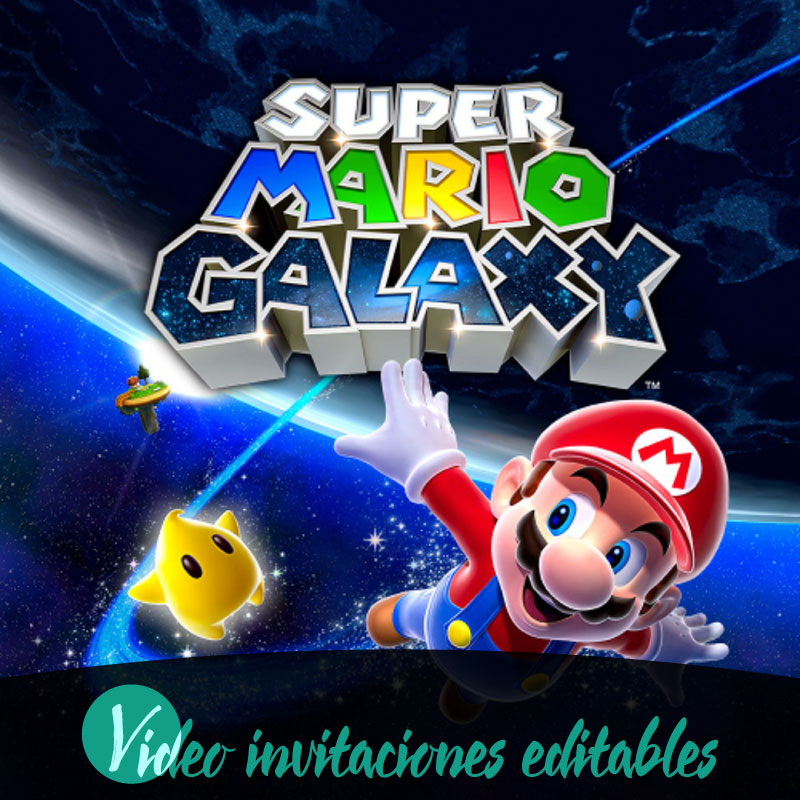
If you are planning a birthday and want a playful, family-friendly invite that looks polished without a lot of technical hassle, Super Mario Galaxy video invitation 01 is designed for that need. This editable video invitation is delivered digitally and gives families instant access to an online editor so you can tailor the message, language and visuals before sharing. The product streamlines the common steps parents juggle—editing, previewing and sending—while supporting desktop, tablet and mobile devices. It is a practical way to create a themed video invite for a birthday that you can preview with a watermark, finalize through purchase, and then share directly with guests.
What Super Mario Galaxy video invitation 01 includes
Super Mario Galaxy video invitation 01 is a ready-made video invitation format offered as a digital product that you edit online. It comes with a themed template and supports English and Spanish language options so families can choose the language that suits their guests. The product is intended for digital delivery and provides instant access once you begin the editing process. Because it is an editable video invitation, you control the content you place into the template using the online editor. The design and assets are themed; families looking for a consistent look related to the Super Mario universe will find this format aligned with that aesthetic.
Editing online across desktop, tablet and mobile
The editing experience is browser-based and works on desktop, tablet and mobile devices, which makes it convenient for families who want to make changes from different locations or devices. The online editor is accessible without downloading separate software, so a parent can open the editor on a computer and continue edits on a phone if needed. The interface is built to be approachable for users with basic computer skills, allowing you to replace text, adjust timing, and preview how the invitation plays. Because the editing happens in the cloud, multiple family members can coordinate content preparation and review without exchanging large files.
Previewing, review before publishing, and premium features
After editing, the platform supports a watermarked preview so you can see how the invitation will look and behave before finalizing. The preview is a watermarked preview for evaluation only, and the watermark is present in the preview stage but not in the final delivered invitation once the purchase is completed. The product workflow encourages a review before publish step, which helps ensure names, dates and other details are correct before you complete the transaction. Some advanced elements or additional options are gated behind a premium unlock; those premium features require unlocking to access them during the editing or finalization process.
The purchase flow and what happens after you finish editing
The overall purchase flow follows a straightforward sequence: edit, preview, purchase and share. You begin by editing your selected template in the online editor, then you generate a preview to confirm the content and timing. The watermarked preview allows final checks and a mandatory review-before-publish step helps reduce errors. Once you purchase the finalized version, the invitation is delivered digitally and ready for sharing. Delivery is instant access to the finalized video invitation file or link, so families can proceed directly to distribution without waiting for additional processing.
Sharing options and compatibility with guest communication channels
Super Mario Galaxy video invitation 01 supports common digital distribution paths families use to reach guests. After finalizing and purchasing the invite, you can share it via WhatsApp, email or social media to reach different segments of your guest list. The format is designed to be compatible with common devices and messaging channels so recipients can open the invitation on phones, tablets or computers. Because sharing is digital, you can choose the best channel for each family or friend—direct message for close contacts, group posts for broader announcements, or email for relatives who prefer a formal invitation link.
Practical tips for families preparing a birthday invitation
Before you open the editor, gather the essential details you plan to include, such as the event date, start time, location notes and RSVP instructions, and decide whether to use English, Spanish or both. Collect photos or short clips you want to include and have a clear idea of the guest list so sharing is efficient after purchase. Use the review-before-publish step to double-check names and times and preview on the device most guests will use to confirm readability and playback. If you want additional decorative elements or enhanced options, consider whether unlocking premium features is worthwhile; otherwise the base editable template provides a clean, themed invitation that families can prepare and share quickly.
Conclusion
Super Mario Galaxy video invitation 01 provides families a focused, digital-first way to create a themed birthday invitation without complex tools. The online editor, watermarked preview, review-before-publish step and instantaneous digital delivery combine to make the process predictable and family-friendly, while support for desktop, tablet and mobile devices and distribution through WhatsApp, email and social media keeps sharing simple.
FAQ
-
What is Super Mario Galaxy video invitation 01?
An editable online video invitation template titled Super Mario Galaxy video invitation 01, designed for digital delivery and instant access after purchase for birthday events.
-
How do I edit the video invitation?
You edit the invitation online using the product editor; editing is done in your browser on desktop, tablet, or mobile before previewing and purchasing.
-
Can I see the invitation before buying?
A watermarked preview is available so you can review the edited video invitation before completing the purchase and unlocking the premium version.
-
How is the invitation delivered after purchase?
Delivery is digital and immediate once you complete the purchase, granting access to the unlocked, final video invitation for sharing.
-
Which devices and channels are supported for editing and sharing?
Editing and previewing work on desktop, tablet, and mobile, and the final digital invitation can be shared via WhatsApp, email, and social media.
-
What steps are involved in the purchase flow?
The typical flow is edit your template online, preview the watermarked version, complete the purchase to unlock premium features, then share the digital invitation.
