
Zombies 4 video invitation 01 — Editable Online Birthday Video Invitation, Instant Digital Delivery
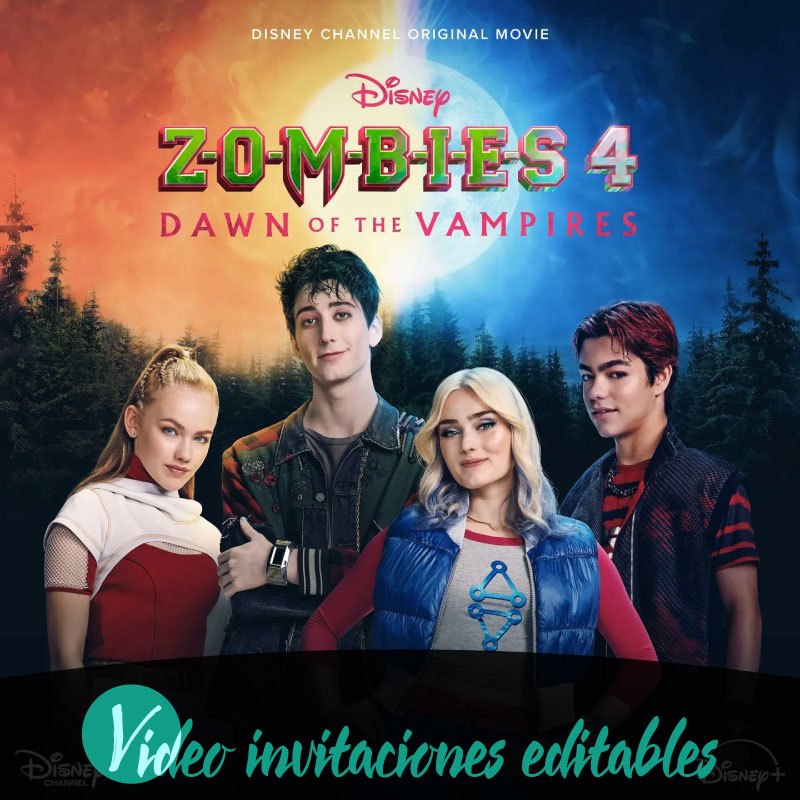
If you need a quick, family-friendly birthday invitation that you can personalize and send instantly, Zombies 4 video invitation 01 delivers an editable online video invitation built for digital sharing. This product puts a lively, themed video template in your browser so you can edit text and simple elements, preview the result with a watermark, and complete the purchase to unlock the final version for immediate access. Families benefit from an intuitive editing experience across desktop, tablet, and mobile, support for English and Spanish, and straightforward distribution options such as WhatsApp, email, or social media. The result is a ready-to-share birthday video invitation that keeps the process fast and focused on celebrating the occasion.
What Zombies 4 video invitation 01 includes and how it’s delivered
Zombies 4 video invitation 01 is a digital, editable video invitation intended for personalizing online and sharing electronically. The product provides a themed video template that you edit in a browser-based editor; there is no physical component and delivery is digital and instant after purchase. The platform emphasizes instant access so once you complete the purchase flow the unlocked invitation becomes available immediately for distribution. Content is localized for English and Spanish users, and the product is optimized for family-oriented birthday events where a playful spooky motif works well for guests of varied ages.
Editing online: what to expect on desktop, tablet, and mobile
Editing takes place entirely online using an editor designed to work across desktop, tablet, and mobile browsers. You can open the template on whatever device you prefer, change the editable text and layout options provided in the template, and preview your changes without downloading anything. The editor is built for quick adjustments so families can make a few edits between activities or take a focused editing session together. The editing experience prioritizes accessibility and simplicity over complex design controls, which makes it easier for users who want a polished result without a steep learning curve.
Previewing your invitation and the review process before publishing
Before you complete the purchase, the platform offers a preview of your edited invitation that includes a visible watermark so you can check content and pacing. The preview is intentionally marked to protect the template until the final purchase and the watermark appears only during the preview stage. In addition, a brief review step occurs before the invitation is published, which helps ensure that any content meets basic quality requirements and that the final file is ready for instant access. This review step is part of the standard process and typically completes quickly, enabling prompt delivery once the purchase is finalized.
Sharing digitally: how families distribute the invitation
Once the invitation is unlocked, it’s designed for digital sharing across common family communication channels. The product supports straightforward distribution to WhatsApp, email, and social media, which lets you send the invitation directly to relatives, friends, and community groups. Because the delivery is digital, you can forward the link or the hosted invitation in chat threads, include it in an event message, or post it to a private group so everyone receives consistent, up-to-date information. The ease of sharing makes it simple to coordinate RSVPs and follow-up messages among family members and guests.
Language options and making the invitation family-appropriate
The template supports both English and Spanish, allowing families to tailor the invitation language to their guests. Use clear, friendly wording and consider who will view the invite when choosing tone and imagery; the template is crafted for a playful, spooky birthday vibe but can be kept light to suit younger children and older relatives alike. Because personalization is handled online, you can adjust wording and any basic text elements to clarify event details and accessibility needs without needing advanced editing skills. Keeping content concise and using simple language helps ensure that the invitation is inclusive for all family members.
Upgrading, unlocking premium elements, and completing the purchase flow
Some template features or decorative elements may require a premium unlock to remove the preview watermark or access enhanced options. The platform’s purchase flow follows a clear path where you edit your draft, preview it with the watermark to confirm the result, complete the purchase to unlock premium elements and remove the watermark, and then share the final invitation. After purchase and completion of the brief review step, the unlocked invitation becomes available immediately for distribution. The process is designed to be transparent so families know when they are viewing a watermarked preview and when they will receive instant access to the finished version.
Conclusion
Zombies 4 video invitation 01 streamlines the creation of a themed birthday video invitation by combining an editable online template, watermarked previews, a short review step before publishing, and instant digital access after purchase. Its device compatibility and language support make it practical for families who want to personalize an invitation quickly and then distribute it through familiar digital channels.
FAQ
-
What is Zombies 4 video invitation 01?
Zombies 4 video invitation 01 is an editable video invitation delivered digitally, designed for online editing and instant access after purchase.
-
How do I edit the birthday video invitation?
Edit the birthday video invitation online using the product editor; changes are saved in-session and available to preview before completing purchase.
-
Can I preview the video invitation before buying?
Yes, you can preview a watermarked preview of the video invitation online to review edits before finalizing purchase and unlocking the premium version.
-
What devices are supported for editing and preview?
The editor and preview support desktop, tablet, and mobile devices so families can edit and preview the video invitation from most common devices.
-
How will I receive the video invitation after purchase?
Delivery is digital and instant access is provided after purchase; you will follow the platform purchase flow to edit, preview, purchase, and then share the invitation.
-
Is any special account or unlock required to finish the invitation?
A premium unlock is required to remove the preview watermark and complete the video invitation purchase; the workflow follows edit, preview, purchase, and share steps.
