
KPop Demon Hunters video invitation 02 — Editable Online Birthday Video Invitation, Instant Digital Delivery
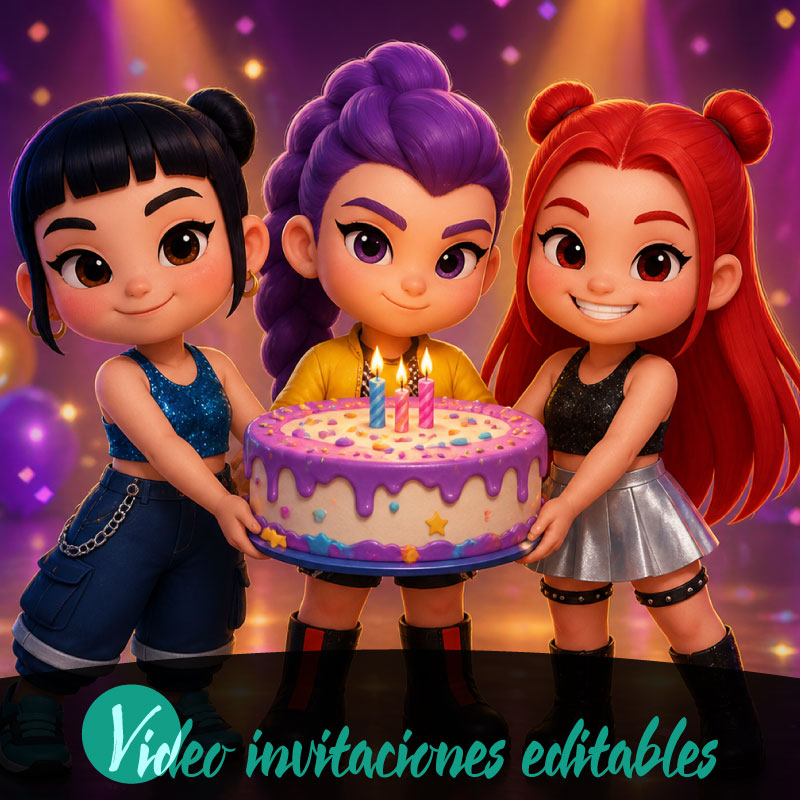
If you want a memorable, sharable birthday invitation that fits a modern family’s rhythm, KPop Demon Hunters video invitation 02 gives you an editable online video format you can personalize and send instantly. Designed for families who want energy and visual flair without technical hassle, this product delivers instant digital access, on-screen editing in your browser, and a watermarked preview so you can see the final look before completing your purchase. The result is a polished, digital invitation that plays across phones, tablets, and desktops and can be distributed through familiar channels like WhatsApp, email, or social media.
What KPop Demon Hunters video invitation 02 is and who it suits
KPop Demon Hunters video invitation 02 is a digital video invitation created for online personalization and immediate sharing. It’s aimed at families planning a birthday who want a lively, themed invite that reflects contemporary pop culture styling while remaining simple to edit. The product is delivered digitally and edited online, so no software downloads are required. Because it supports multiple languages, including English and Spanish, families with bilingual guests can adapt text to the audience. The format and tone work well for family birthday celebrations where vibrant visuals and short, engaging video storytelling set the mood for guests of all ages.
Core features that make editing and sharing straightforward
At the heart of this video invitation is an in-browser editor that lets you change text, adjust basic visual elements, and preview your edits across supported devices—desktop, tablet, and mobile—so you know how it will look for different recipients. The workflow follows a simple edit, preview, purchase, and share sequence that guides you from first customization to distribution. Previews are presented with a watermark so you can evaluate pacing and content before finalizing. Delivery is instant and digital, enabling immediate access after purchase. The platform emphasizes ease of use so parents can complete a polished invitation in minutes rather than hours.
Customizing the invite for a birthday celebration
To tailor KPop Demon Hunters video invitation 02 for a birthday, start by replacing placeholder text with the honoree’s name, age, date, time, and location details. Choose wording and a tone that match your family’s style—playful and energetic for a children’s party, or a bit more grown-up for teen celebrations—while keeping messages concise for a short video format. The editor supports language selection, allowing you to write invitations in English or Spanish as needed. Background music and sound options are available as general choices to set mood; use upbeat tracks for a festive feel or softer selections for an intimate family gathering. Preview the audio balance to ensure spoken details remain clear.
The purchase flow, previews, and premium options explained
The purchasing path for this product is designed to be transparent and linear: edit your video in the online editor, view a watermarked preview to confirm layout and timing, complete the purchase to unlock final output, and then share the finished invitation. Some design elements or advanced features require a premium unlock to access; the platform will indicate which items are premium during editing. Because previews are watermarked for evaluation only, the watermark is removed after purchase so you can distribute a clean final file. The product process also encourages families to review content thoroughly before publishing or sharing to avoid last-minute corrections.
Compatibility and recommended sharing channels
KPop Demon Hunters video invitation 02 is created for smooth playback across desktop computers, tablets, and mobile phones, ensuring guests can watch the invitation on the device they prefer. Once the final video is unlocked, common digital distribution methods are recommended: send directly via WhatsApp for quick delivery to family groups, email invitations for more formal distribution, or post to private social media groups to coordinate with friends. The video format is optimized for social timelines and messaging apps so recipients experience minimal friction when opening and viewing the invite. Because the delivery is digital, you can share immediately after purchase and coordinate RSVPs through the channels your family already uses.
Practical tips for families to get the best result quickly
Start by gathering all event details and a short guest list before you open the editor; having names and logistical information ready makes personalization faster. Keep the invitation text concise so key details are easy to read on small screens, and choose a clear, family-appropriate tone that reflects the birthday’s energy. Use the watermarked preview to check pacing, audio volume, and legibility on both phone and tablet views. If you plan to use premium elements, decide early whether the upgrade is worth it for your design needs. Finally, follow the review-before-publish guidance: verify spelling, times, and links in the preview to avoid re-editing after purchase.
Conclusion
KPop Demon Hunters video invitation 02 offers families a fast, modern way to create a high-energy birthday invitation that’s easy to edit online and share digitally. With device compatibility, a simple edit-preview-purchase-share flow, and watermarked previews to validate your design, it streamlines the process so you can focus on the celebration rather than technical details.
FAQ
-
What is KPop Demon Hunters video invitation 02?
KPop Demon Hunters video invitation 02 is an editable digital video invitation available for instant access and online editing through the product platform.
-
How is the invitation delivered?
Delivery is digital only, with immediate access after purchase so you can edit, preview, and share the customized video invitation online.
-
Can I edit the invitation before purchasing?
Yes you can edit the video invitation online using the platform editor, make changes, and preview a watermarked preview before completing purchase.
-
Will my preview show the final design?
The preview is a watermarked preview to evaluate the design and content; final version becomes available after purchase and any premium unlocks.
-
Which devices can I use to edit and share the invitation?
The invitation editor and sharing options support desktop, tablet, and mobile so you can edit, preview, purchase, and share from most devices.
-
How can I share the finished birthday video invitation?
After purchase you can share the finished birthday video invitation via supported distribution channels such as WhatsApp, email, and social media.
