
Stranger Things video invitation 01 — editable online birthday video invitation
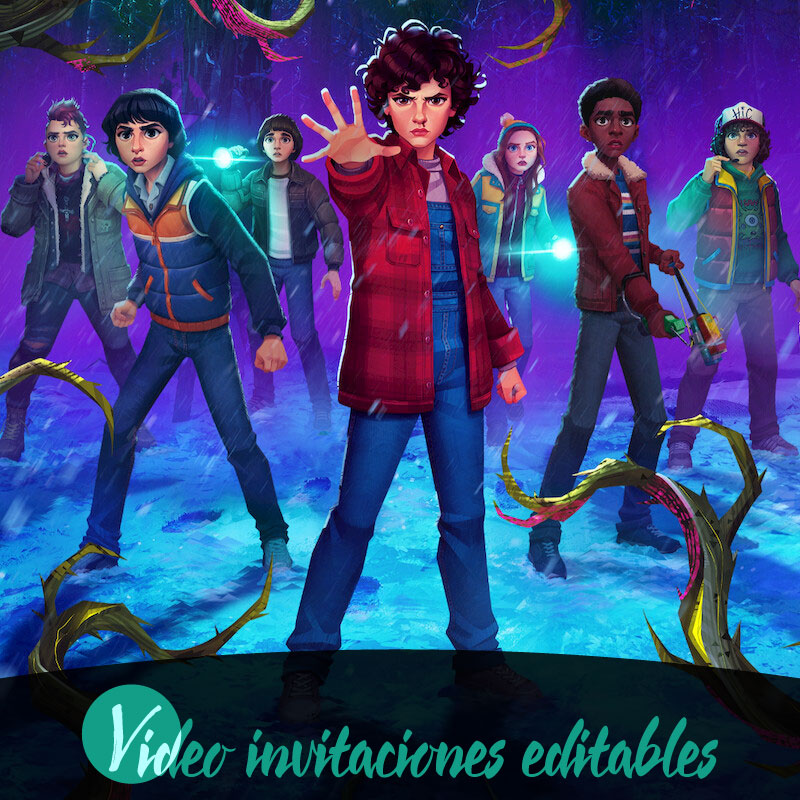
If you want a standout birthday invite that feels like a mini Stranger Things trailer, the Stranger Things video invitation 01 gives families an editable online video invitation they can personalize and share digitally. This product delivers instant access, editable online elements, and a watermarked preview so you can see your changes before completing the purchase. It is designed for busy hosts who want a cinematic, easy to distribute invitation for a birthday celebration and who need simple tools that work across desktop, tablet, and mobile. Read on to understand what you can change, how the preview and review steps work, and practical tips to get the most from this digital invitation.
Why choose this Stranger Things themed video invitation
The Stranger Things video invitation 01 is built to capture a dramatic, nostalgic mood that suits a themed birthday party. Its strength lies in providing a ready-made visual concept that families can adapt without complex software. Because it is an editable video invitation delivered digitally, you get instant access and can start customizing right away from any supported device. The format emphasizes convenience and showmanship: the video plays like a short trailer, creating anticipation for the event while keeping edits simple and focused. For parents organizing a birthday, it combines a high-impact look with time-saving online editing so you can produce a polished invitation even on tight schedules.
What you can edit online
Editing takes place entirely in the online editor, where you can change core text fields such as the guest of honor's name, date, time, location details, and RSVP instructions. You can also swap or edit short lines of copy to match the tone of your birthday event and select from the product's offered language options including English and Spanish. The editor supports previewing your changes instantly and preserves a watermarked preview so you know how the finished video will appear. Keep in mind that some advanced features may require a premium unlock, and the interface will indicate when a premium element is in use so you can decide whether to enable it before finalizing.
How editing, preview, and review work
The standard workflow follows a predictable cycle: edit, preview, review before publish, and then complete the purchase to remove the watermark and share. While you edit, you can preview the full video with a watermark applied so you can check timing, text placement, and overall flow. A required review before publish prompts you to confirm the final content and make corrections; this helps catch errors or date mistakes common when organizing birthday parties. Once you are satisfied and complete the purchase, the watermark is removed and the finalized digital invitation becomes available for sharing according to the delivery rules of the product.
Devices, accessibility, and supported distribution
The Stranger Things video invitation 01 is designed to work on desktop, tablet, and mobile devices, so parents can edit at home or on the go. The online editor adjusts to different screen sizes, while previews let you verify how the invite will look on smaller screens where many guests will view it. After purchase, the product supports sharing through common digital channels such as WhatsApp, email, and social media, making it easy to reach a family contact list. The product supports multiple languages, including English and Spanish, so you can tailor the invitation for bilingual households or guests who prefer a different language.
Delivery, access, and what to expect after purchase
Delivery is fully digital and instant once the purchase step completes, allowing you to access your final file right away. The product emphasizes editable online control up to the point of purchase, and the purchase flow follows the sequence of edit, preview, purchase, and then share. Because previews are watermarked, the purchased version removes that watermark to present a clean final invitation. The platform also puts a review before publish step in place to reduce errors and ensure that the details you share with family and friends are accurate. Keep in mind that some premium elements will require a premium unlock in the editor before they can appear in the final version.
Practical tips for using the invitation at a birthday party
To get the most from the Stranger Things video invitation 01, gather your core event details before you begin editing so you can complete the review in one session and avoid repeated edits. Use short, clear text for time and location to ensure legibility on small screens, and preview on both mobile and desktop to confirm readability. If you plan to share in group chats, trim the video length to keep attention and include RSVP instructions early in the clip so recipients see them without watching the whole preview. Finally, use the review step carefully; verify spellings, dates, and any special notes for parents so the digital invitation sends accurate information to guests.
Conclusion
The Stranger Things video invitation 01 gives families a fast, editable online option to create a striking birthday invitation and share it digitally. Its instant access, watermarked preview, and cross device support make it practical for busy hosts while the review before publish step helps prevent mistakes.
FAQ
-
What is Stranger Things video invitation 01?
Stranger Things video invitation 01 is an editable video invitation delivered digitally. You edit it online, preview with a watermark, then unlock premium to complete purchase and download.
-
How do I edit the invitation?
Edit the invitation online using your desktop, tablet, or mobile device. The editor supports editing and previewing before purchase; changes are saved during your session.
-
Can I preview my edited invitation before buying?
Yes. You can preview your edited invitation with a watermark applied. The watermarked preview lets you review content before completing the premium unlock and purchase.
-
What devices and channels are supported?
The product supports desktop, tablet, and mobile devices. After purchase you can share the digital invitation via WhatsApp, email, and social media channels as desired.
-
What is the purchase flow for this video invitation?
The typical flow is edit online, preview (watermarked), purchase to unlock premium features, then access the final digital invitation for sharing and use.
-
Do I need a premium unlock to get the final invitation?
Yes. A premium unlock is required to remove the preview watermark and complete the purchase so you can access the final digital version for sharing.
